Accessibility Checker WCAG Audit & Color Contrast
Audit any website for accessibility. In seconds. From your phone — or your iPad and Mac. Now with the Focus Order visualizer.


New here? Read the user guide for a tour of every tool. On a Mac? See the Mac app help.
New in This Update
A brand-new way to test keyboard accessibility, and a redesign for bigger screens.
Focus Order Visualizer
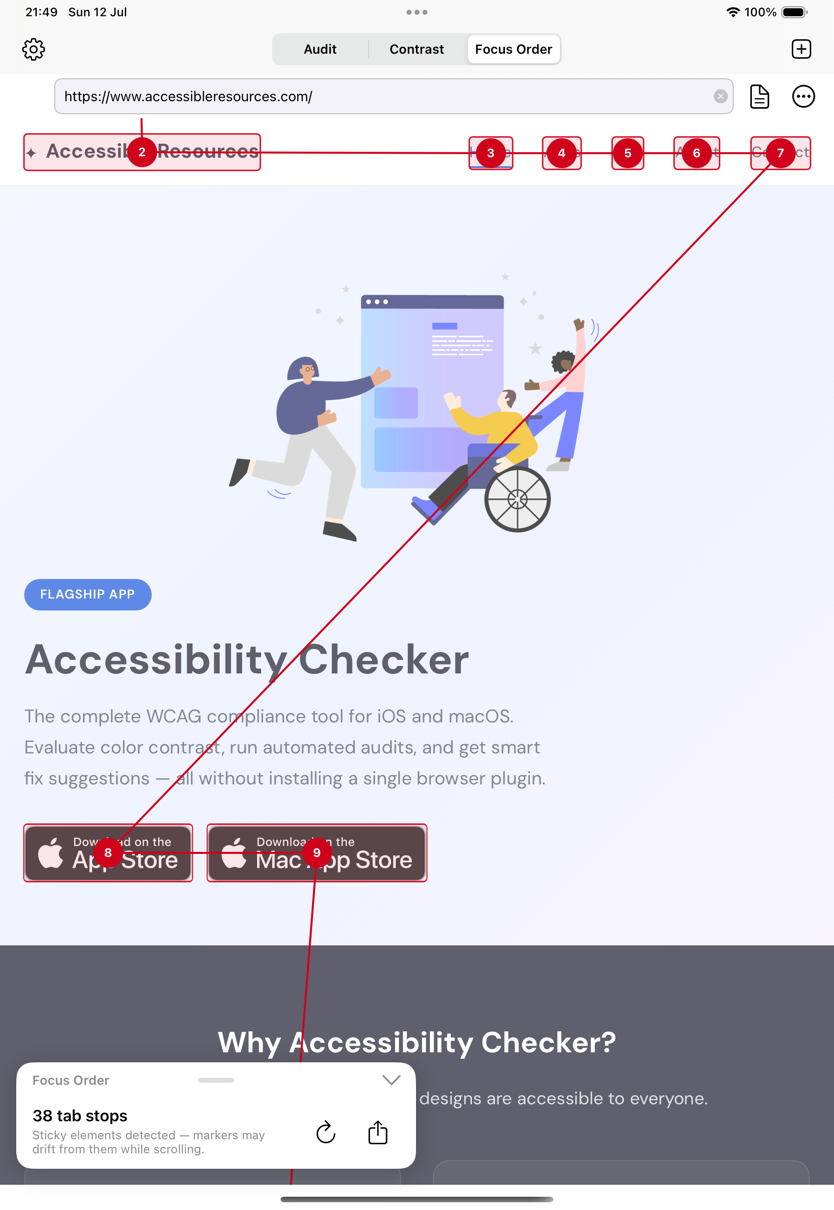
Map the keyboard focus (tab) order of any web page, spot problems at a glance (WCAG 2.4.3), and export the full-page map as an image or PDF.
Redesigned for iPad & Mac
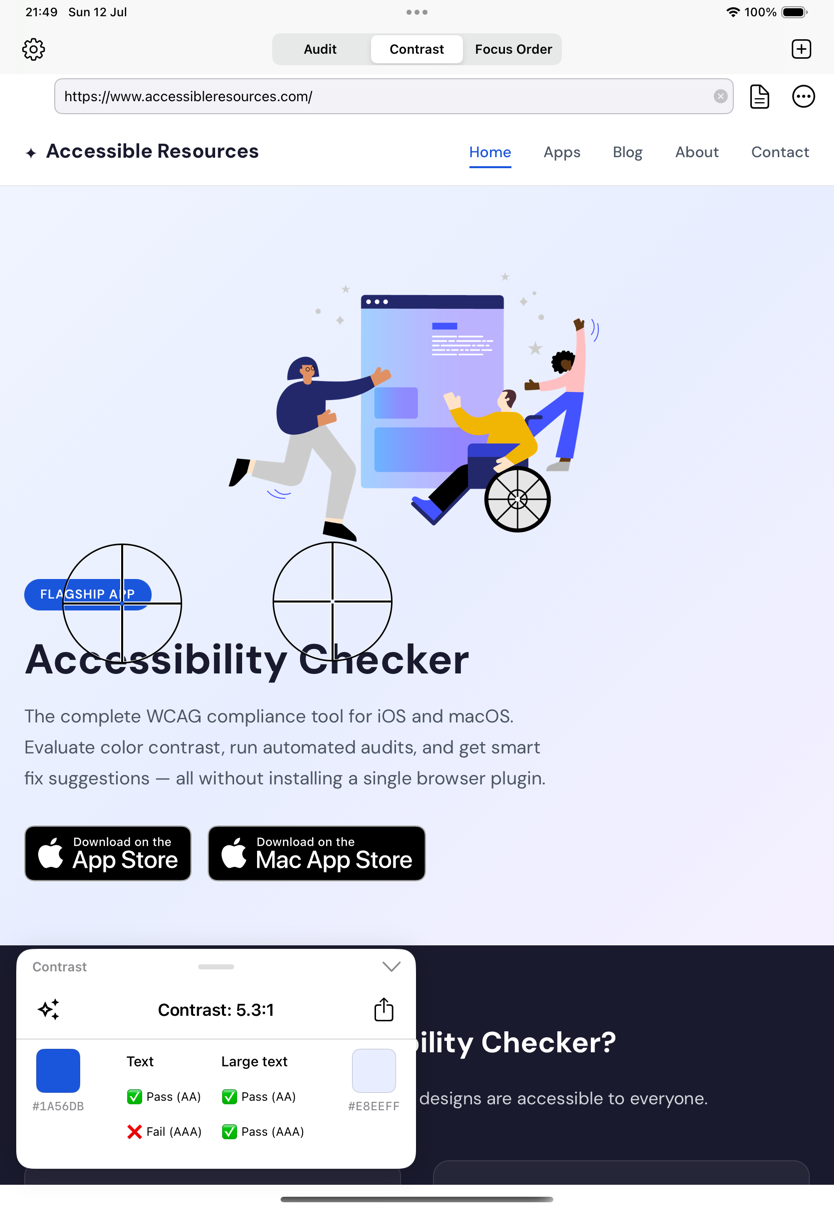
A floating results card you can move to any corner, menu-bar commands, and keyboard shortcuts — auditing finally feels native on a big screen.
18 Languages
Fuller localization across the whole app, plus stability improvements throughout.
Three Tools. One Complete Toolkit.
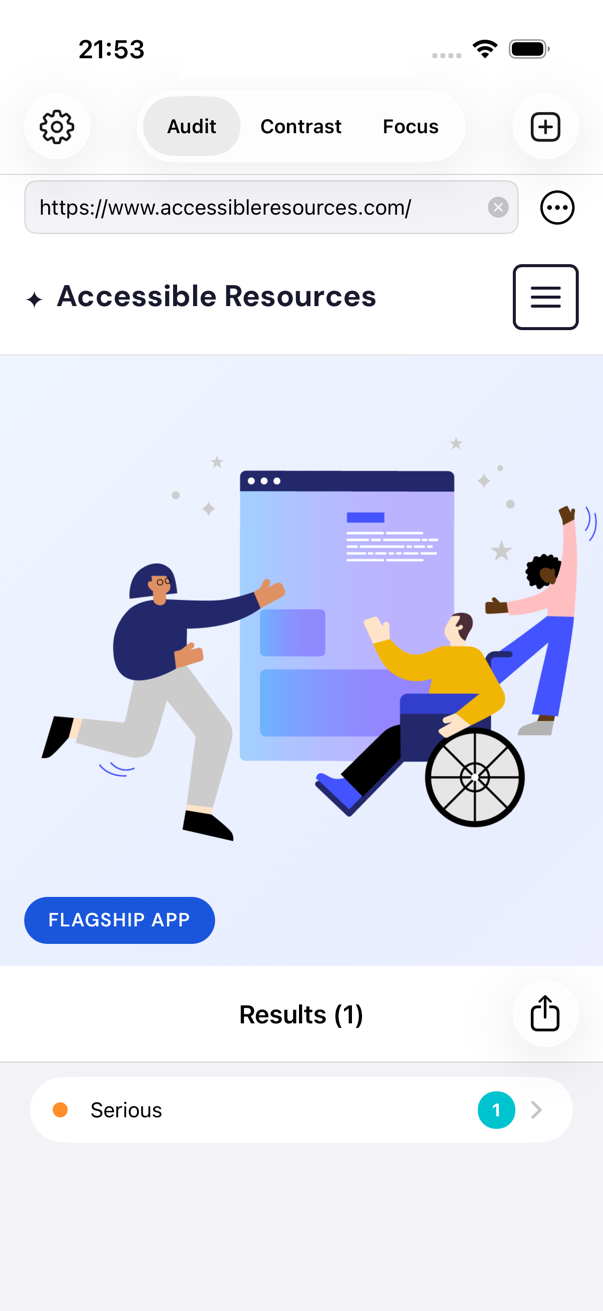
Professional-grade WCAG testing on your phone — no browser extensions, no desktop setup.
1. Automated Audit
Run the industry-standard axe-core engine against any URL. Get a prioritised list of WCAG issues, each explained in plain language with practical fix guidance.
2. Focus Order
Visualize the keyboard focus (tab) order of any page, see the sequence keyboard and screen-reader users follow, and catch illogical jumps (WCAG 2.4.3).
3. Color Contrast
Measure the contrast between any two colors in a screenshot, website, or live camera view — against WCAG 2.1 and the APCA algorithm from WCAG 3.0.
Full Automated Auditing
Go beyond color contrast. The built-in axe-powered audit engine scans any webpage and reports issues across the full spectrum of WCAG success criteria — missing alt text, broken heading hierarchy, ARIA misuse, form label problems, and more.
Each issue includes a clear description, the relevant WCAG guideline, and actionable steps to fix it.
- Powered by the axe-core accessibility engine (version selectable)
- Issues grouped by severity: critical, serious, moderate, minor
- Plain-language explanations and fix recommendations
- Export findings as text, CSV, or a PDF report
Focus Order: Test Keyboard Navigation Visually
Tabbing through a page is how keyboard and many screen-reader users experience your site — and it's one of the hardest things to test without specialist tools. Focus Order maps every focusable element with a numbered marker and draws the path between them.
An illogical sequence is a WCAG 2.4.3 (Focus Order) failure. With the whole route drawn on top of the page, jumps and traps are obvious in seconds — and the full-page map exports as an image or PDF for tickets and audit evidence.
Focus Order Guide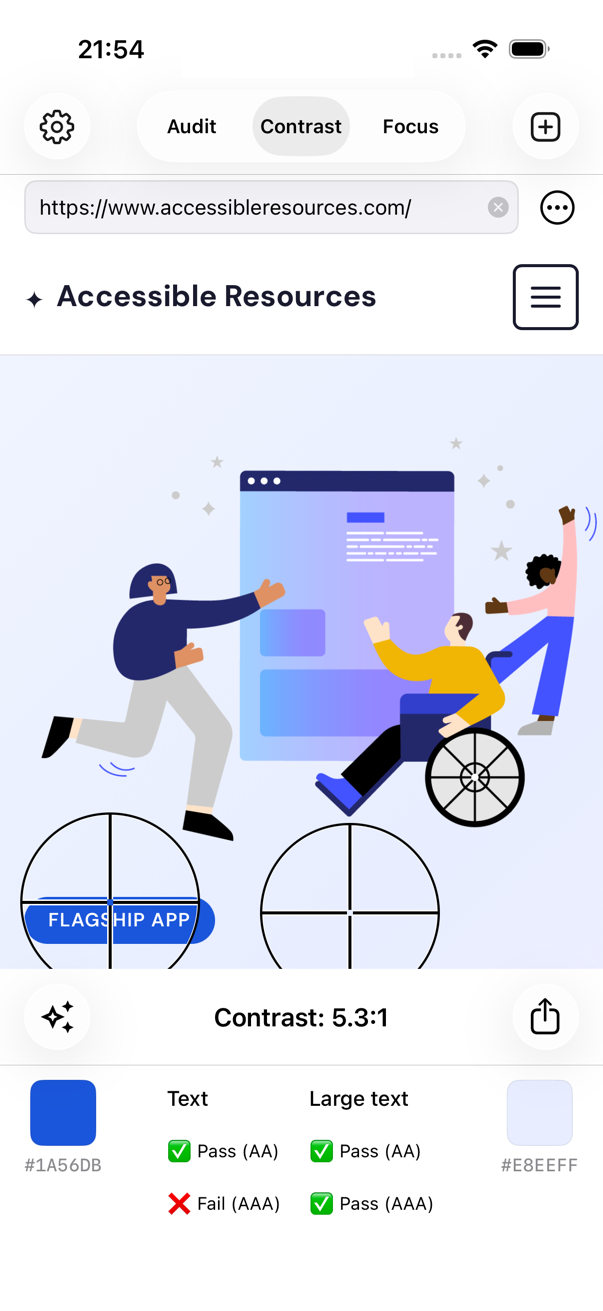
Check Color Contrast Anywhere
Load a screenshot, take a photo, enter a URL, or point your camera at anything — then move two pickers to measure the exact contrast between any two colors. Results update live with pass/fail for WCAG 2.1 A, AA, and AAA, for both normal and large text.
When a combination fails, suggested alternative colors show you the nearest accessible options. Copy any color as HTML hex or Swift UIColor and paste it straight into your code.
- Works on screenshots, photos, websites, and live camera
- WCAG 2.1 ratios plus APCA (WCAG 3.0 draft)
- Suggested accessible color alternatives
- Check directly from Safari and Photos via the share sheet
Redesigned for iPad and Mac
On big screens, results now live in a floating card that you can move to any corner — keeping the page you're testing in full view while you work through issues.
Menu-bar commands and keyboard shortcuts cover the whole workflow: run an audit, switch tools, and export results without touching the screen. Pointer and trackpad interactions feel native throughout.
iPad & Mac GuideEAA-Ready Reports & Statements
The European Accessibility Act has been in force since June 2025. Turn your audits into the documentation it expects.
Automated WCAG Report
Turn an audit into a structured WCAG report aligned with the criteria behind EN 301 549 — the harmonised standard the EAA references — ready to share with stakeholders or attach to compliance records.
Accessibility Statement
Generate a self-assessed accessibility statement you can publish. See a live example statement, available in 17 languages.
Honest Automated Coverage
Automated checks give you a fast EAA-readiness baseline — but full conformance always requires manual testing. The app tells you exactly which WCAG criteria it can and cannot check automatically.
Understanding WCAG Standards
Web Content Accessibility Guidelines (WCAG) ensure digital content is perceivable, operable, understandable, and robust for all users.
WCAG 2.1 Contrast
WCAG 2.1 defines three conformance levels. For normal text, Level AA requires a 4.5:1 contrast ratio and Level AAA requires 7:1. For large text (18pt+ or 14pt+ bold), AA requires 3:1 and AAA requires 4.5:1. Accessibility Checker tests all levels instantly.
WCAG 3.0 & APCA
The Advanced Perceptual Contrast Algorithm (APCA) is the next-generation contrast method referenced in WCAG 3.0 drafts. It accounts for spatial frequency, font weight, and polarity — producing more accurate, human-perception-aligned results than the current ratio model.
European Accessibility Act
Since 28 June 2025, the EAA requires digital products and services sold in the EU to be accessible. Accessibility Checker helps you assess and document readiness by testing against the WCAG criteria that underpin EN 301 549, the harmonised standard referenced by the Act.
More Powerful Features
Everything a designer, developer, or QA engineer needs to ship accessible products.
Color Picker with Export
Pick any color on screen and copy it as HTML hex or Swift UIColor (RGBA or HSB) — ready to paste directly into your code or design tool.
Share & Export
Create contrast reports to share by Mail, Messages, or Notes; export focus-order maps as images or PDFs; and share audit findings as text, CSV, or a PDF report.
Private by Design
Everything runs on your device. The sites, images, and colors you check never leave your phone.
Start Making Your Designs Accessible Today
Download Accessibility Checker and ensure your apps and websites meet WCAG standards — on iPhone, iPad, and Mac.